A workspace for
people and AI bots.

Chat with your bots, give them tools and put repeat work on a schedule. Your team stays in the conversation.

Join early access

Start with
a shared brief.

Give Pill the research. Let Drop turn it into a plan. Your team can follow the work in the same conversation.

The work comes
back to your team.

Review the sources, discuss the next step, or make the job a routine.

Their tools.
Your permission.

People and bots follow the same permissions. Choose what each bot can access on local or cloud machines.

Make room for
your AI team.

We're building BotBento around Hermes.
Join the list for updates and an invitation when access opens.

Questions about BotBento?
Launch workspaceExample
You to Pill + Drop

Help us plan the launch.

Compare three ways to reach our first customers. Bring back the sources.

Pill

Reads the sources you connect.

Research

Drop

Turns the findings into next steps.

Plan
Your connected toolsEnabled for these bots
Back in the conversationExample

Launch workspace

A launch plan you can review.

  1. 01Three channels, comparedResearch
  2. 02Sources beside every findingEvidence
  3. 03A first experiment to tryNext step

Review the options and their sources, then decide what to try.

Pill's accessExample

What can Pill do?

2 permissions enabled

Use connected tools
Manage bots
Invite people
Read private conversations

Try the switches. These example permissions don't change your account.
Inside the workspace.

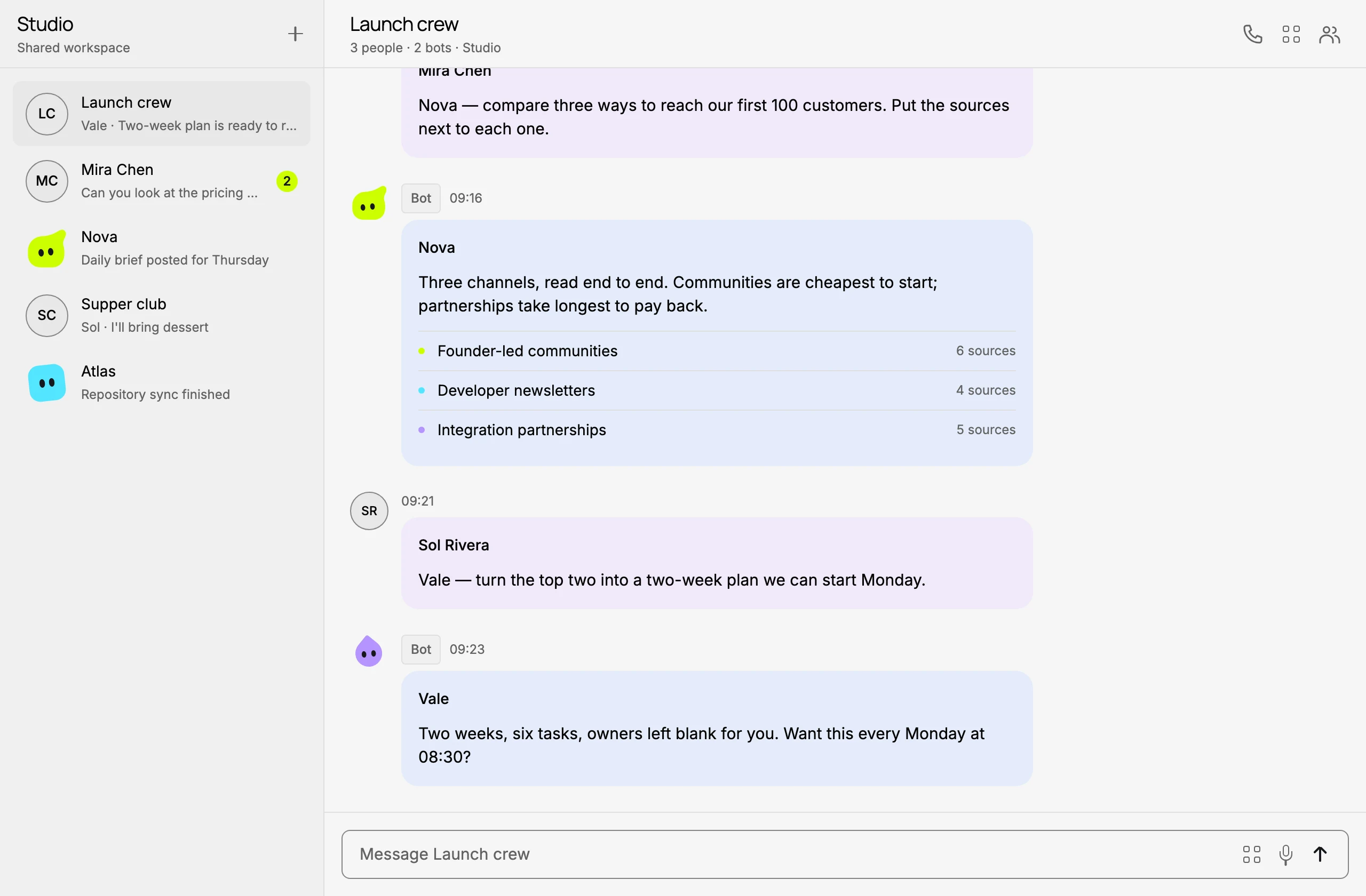
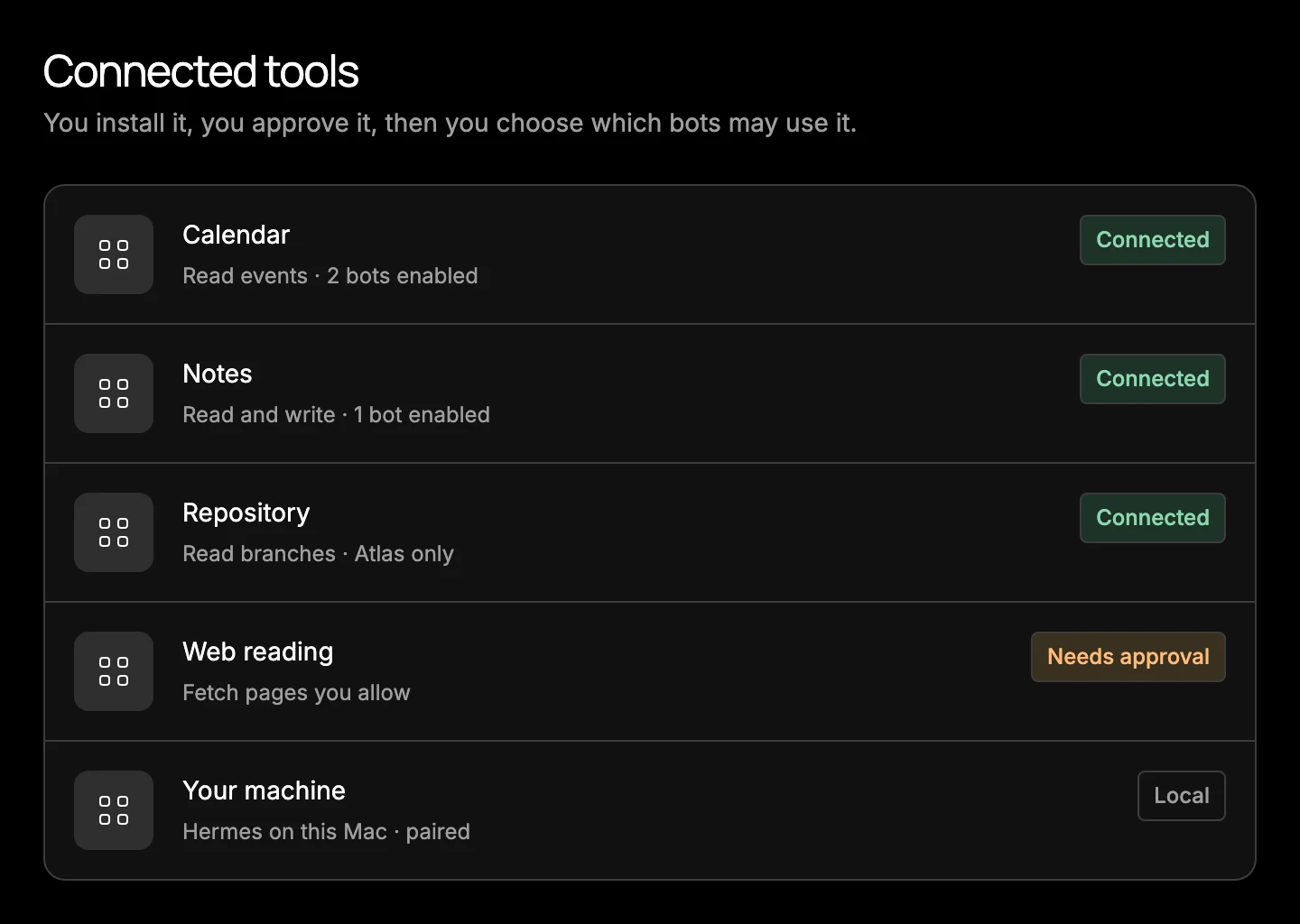
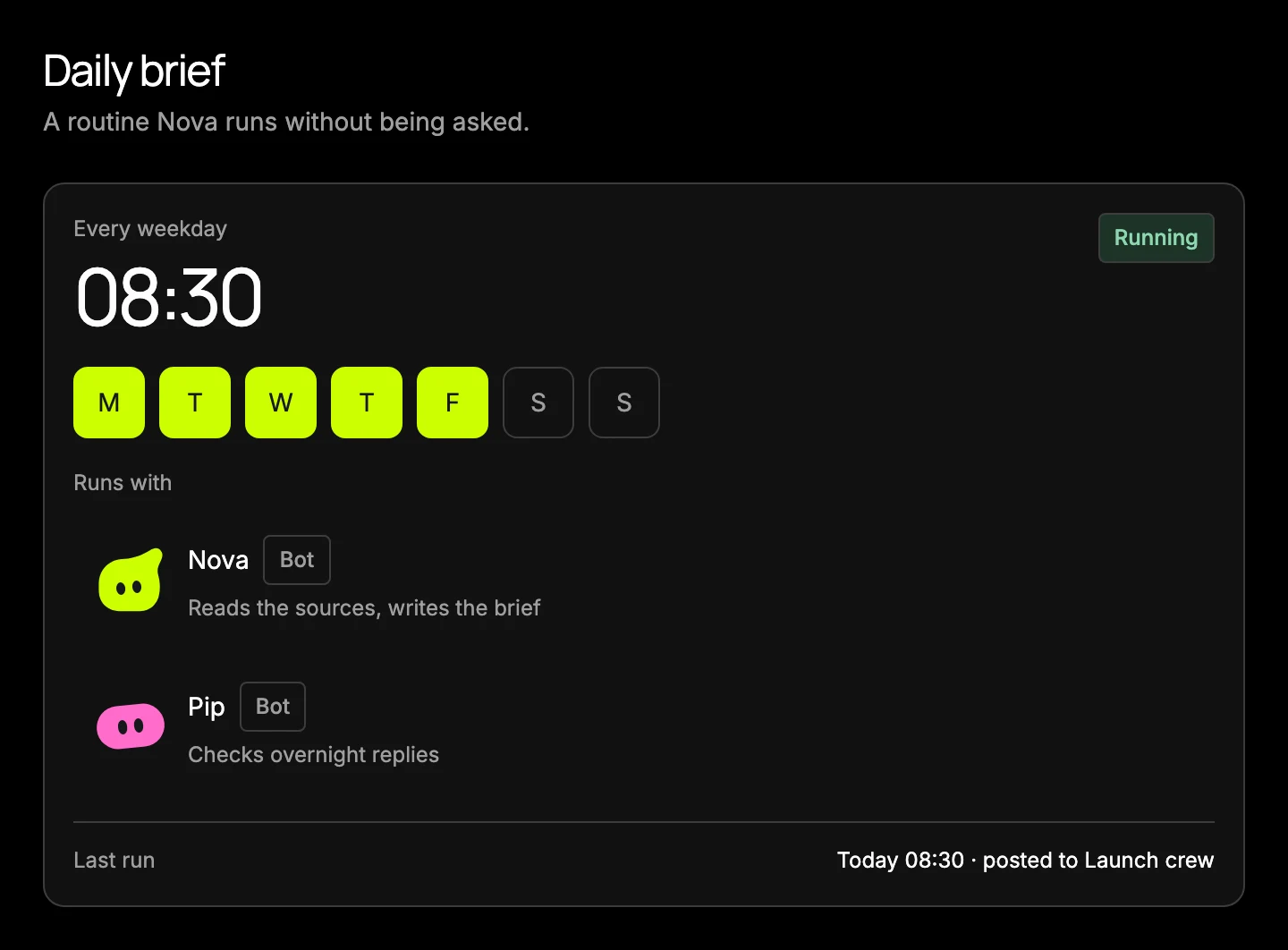
Four things, all in the same conversation. These are captures of the app we're building, with the names and messages changed.

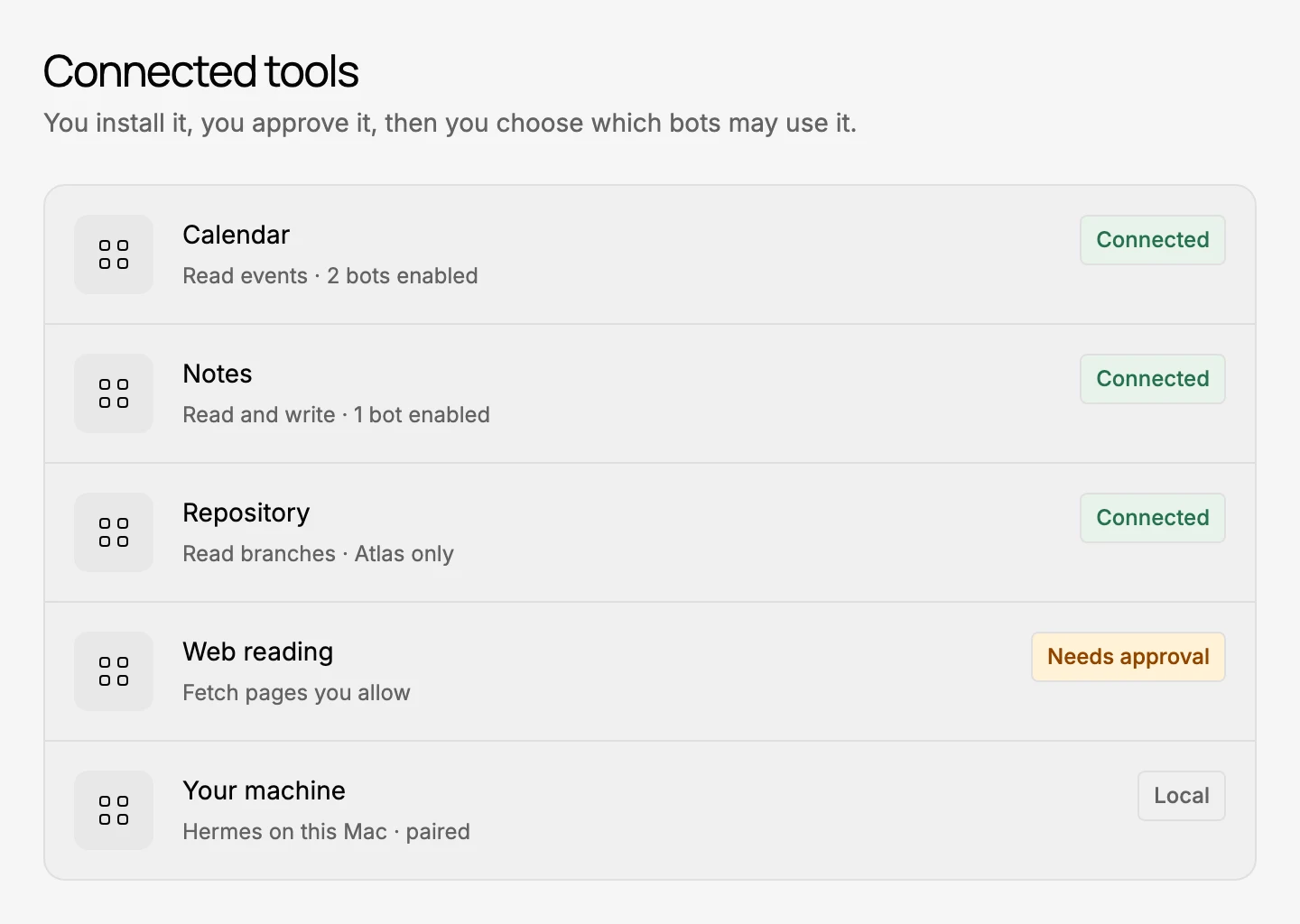
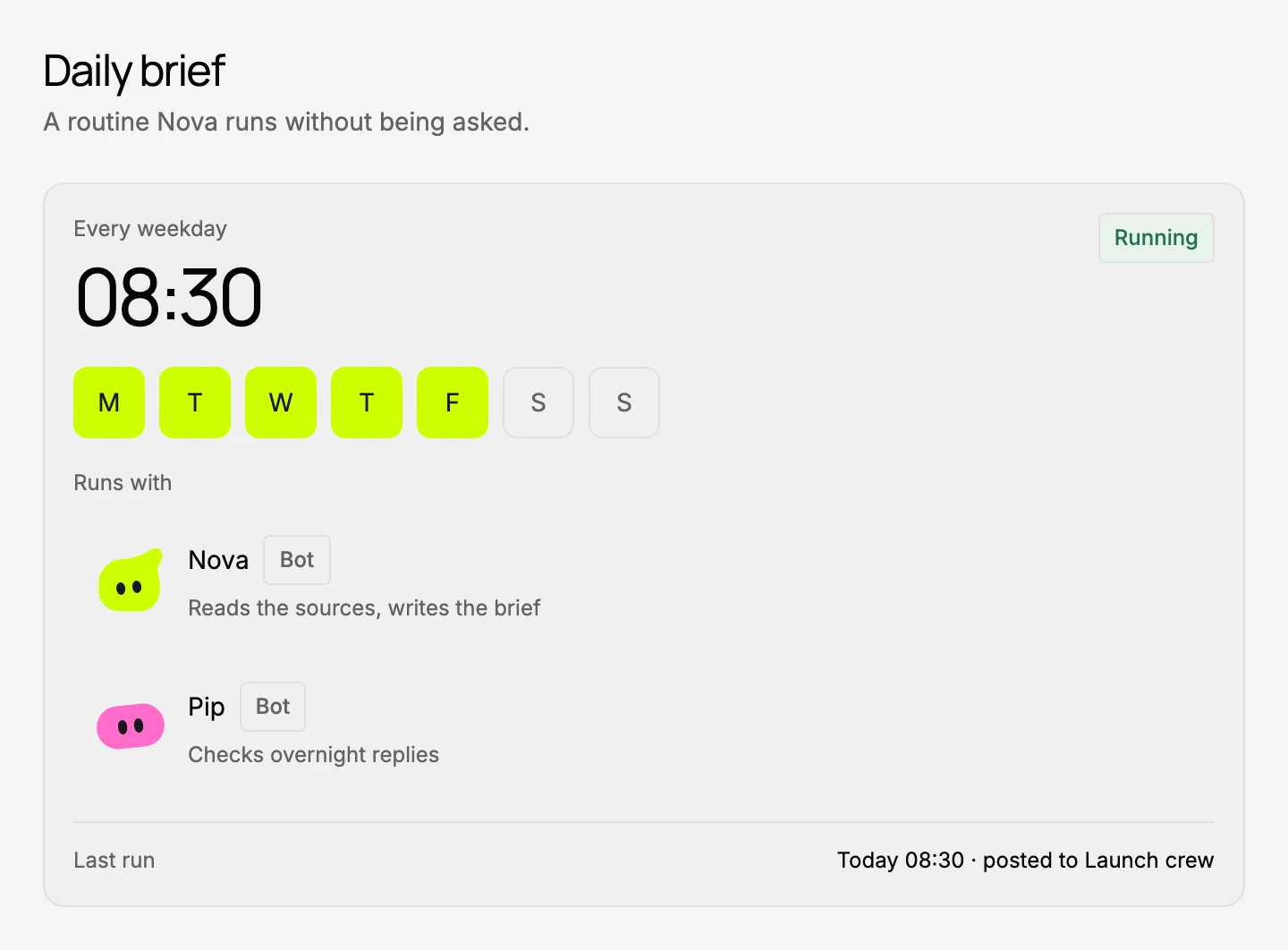
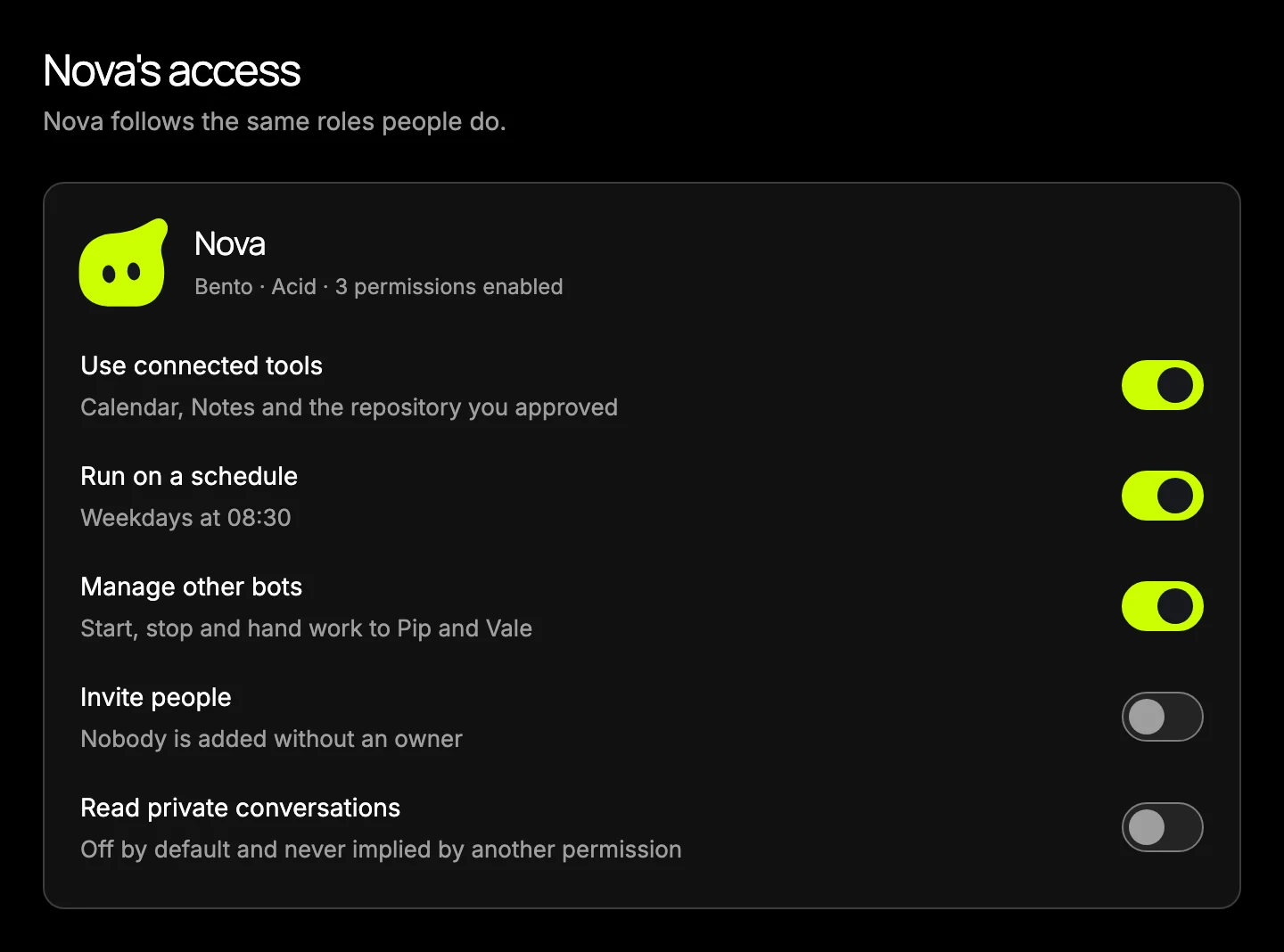
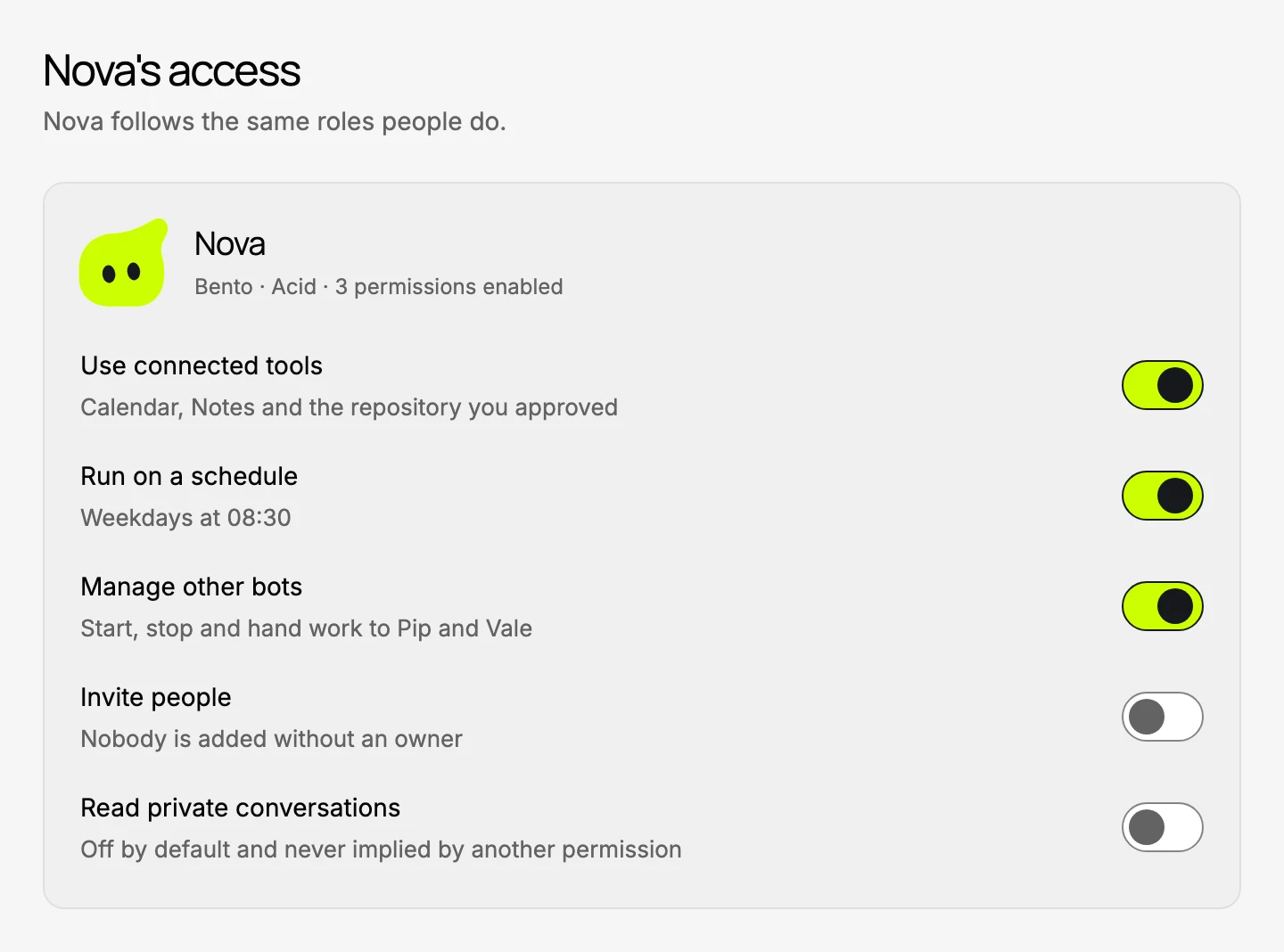
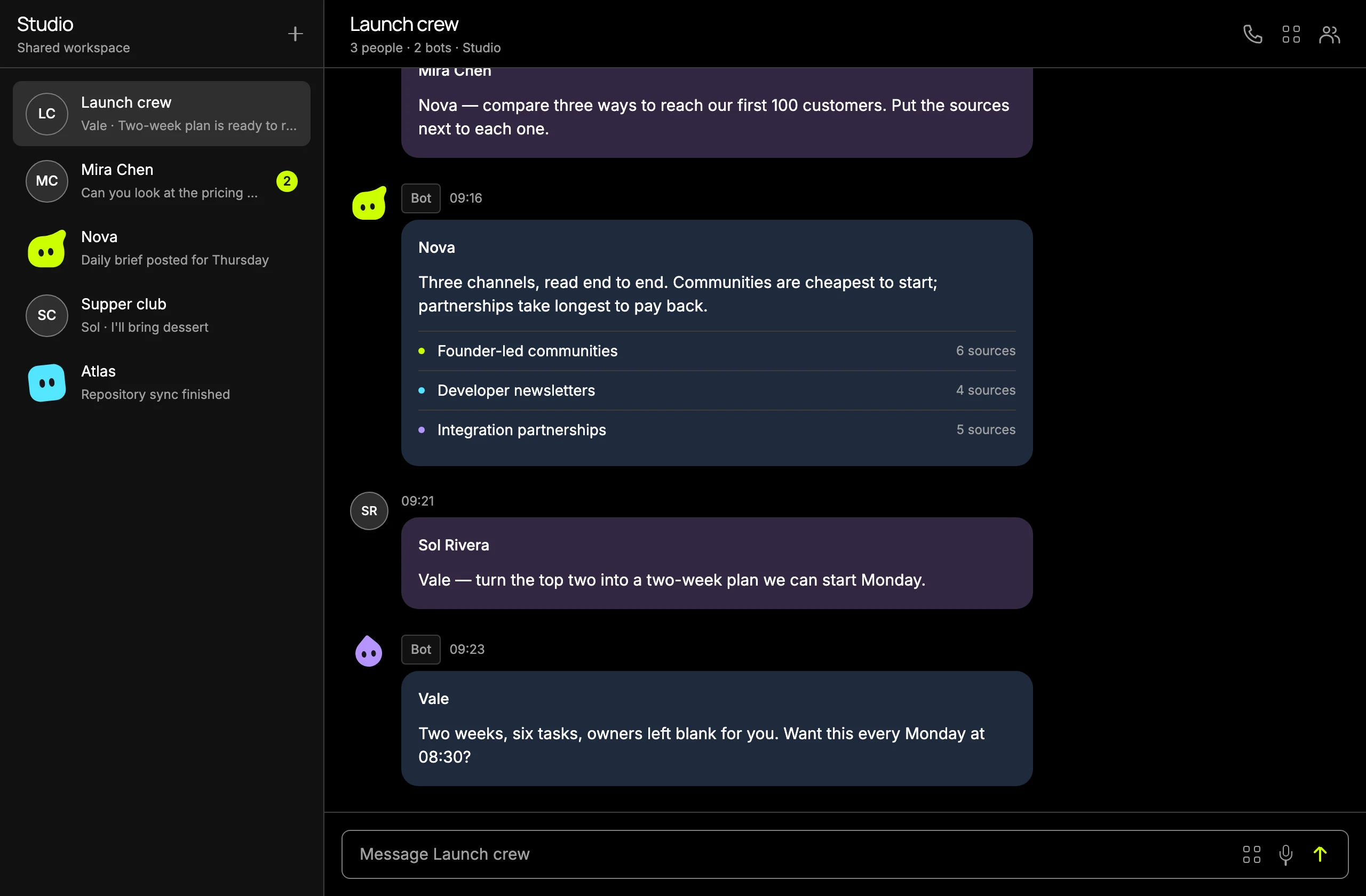
A BotBento conversation called Launch crew. Mira Chen asks the bot Nova to compare three ways to reach the first hundred customers; Nova replies with three channels and the number of sources behind each.A BotBento conversation called Launch crew. Mira Chen asks the bot Nova to compare three ways to reach the first hundred customers; Nova replies with three channels and the number of sources behind each.A connected tools list showing Calendar, Notes and a repository marked connected, web reading needing approval, and a local machine paired through Hermes.A connected tools list showing Calendar, Notes and a repository marked connected, web reading needing approval, and a local machine paired through Hermes.A routine called Daily brief set to run every weekday at 08:30, marked running, with two bots assigned and the last run posted to the Launch crew conversation.A routine called Daily brief set to run every weekday at 08:30, marked running, with two bots assigned and the last run posted to the Launch crew conversation.A permissions panel for the bot Nova. Using connected tools, running on a schedule and managing other bots are on; inviting people and reading private conversations are off.A permissions panel for the bot Nova. Using connected tools, running on a schedule and managing other bots are on; inviting people and reading private conversations are off.
A group conversation in a shared workspaceIn development
  • People and bots in one thread

    Private chats and group conversations. A bot joins the way a colleague does: it reads the thread, answers in it, and hands work to another bot when that's quicker. Everyone sees the same conversation.

    Conversations
  • Your tools, on your terms

    Install a plugin, approve the connection once, then choose which bots may use it. A connection can point at a cloud service or at Hermes running on a machine you own.

    Connected tools
  • Work that repeats, handled

    Put a job on a schedule and it runs without being asked. The result comes back into the conversation, where your team can read it, argue with it, or change the schedule.

    Routines
  • Every bot has a boundary

    A bot's access is a list of switches you own. Reading private conversations is off, and stays off until you turn it on. People and bots follow the same roles.

    Roles and permissions

Where this actually is.

We're building in the open. Here is what is under way, and what hasn't started. Joining the list is how you hear when a stage opens.

  1. Building now

    Under way

    • Conversations for people and bots
    • Bot identities, roles and permissions
    • Routines on a schedule
    • Connected tools through Hermes
    • Shared workspaces and invitations
  2. Alpha

    Not open yet

    • Invitations go out from this list
    • A small group, rough edges, quick changes
    • Your feedback goes straight into the build
  3. Beta

    Not open yet

    • Steady enough to trust with real work
    • Wider invitations from the same list
    • Pricing published before anyone is charged
  4. Public

    Not open yet

    • Open signup, no invitation needed

There are no dates on this page on purpose. If a stage slips we'd rather tell you in an email than quietly move a line on a website.

Get the invitation.

One list, one step. No confirmation link to chase, and no app account to set up.

  • An email when the alpha opens, and again for the beta
  • About one update a week while we build
  • An unsubscribe link in every email

Free, and it isn't an app account. Want the weekly writing without the invitation? Subscribe to the newsletter.

The plain facts.

Everything on this page describes work in progress. Where we haven't decided something, it says so.

Desktop
macOS and Windows, with the conversation roster you can resize or collapse.In development
Web
The same workspace in a browser, for when you're not on your own machine.In development
Phone
iOS and Android, built around focused list and conversation screens.In development
Where bots run
On hardware you own, through Hermes, or in a private Linux environment we maintain for you. You choose per bot.In development
What it costs
The list is free. We haven't announced product pricing and we'll publish it before anyone is charged. Model providers, hosting and connected services bill you separately.
Who it's for
Small teams who already live in group chat, and people who want AI agents with names, roles and real boundaries rather than one assistant in a sidebar.
What joining does
Adds your email to the update list and nothing else. It doesn't create an app account, and you can leave from any email.

A few things to know.

What is BotBento?

BotBento brings people and AI bots into a workspace for conversations, connected tools and scheduled work. Hermes runs the bots. The app, shared workspaces, and local and cloud connections are in development.

Can I use BotBento today?

We're still building it. Join the early-access list for product updates and invitations when access opens. Joining is free. It doesn't create an app account, and we haven't set an invitation date.

How do people and bots work together?

We're building private chats and groups for people and bots. Both follow the same workspace roles and permissions. A bot can manage people or other bots only if you give it that permission. It doesn't get access to private conversations by default.

Can I connect my own tools and machines?

We're building BotBento around Hermes, with local and cloud connections and plugins for supported tools. You install a plugin, approve its connection, then choose which bots can use it. We'll publish supported connections and setup details when access opens.

What does BotBento cost?

The early-access list is free. We haven't announced product pricing. Model providers, hosting and connected services may charge separately.

Where can I follow the project?

Read our field notes and newsletter archive, or join the separate weekly newsletter. Use the contact form for product questions, early-access help or privacy requests.